





























What We’ll Cover
Overlooking the differences between in-person events and online webinars can leave you talking to an empty screen. When you’re no longer offering a free dinner or in-person perks, it’s far easier for attendees to slip away. That’s why a smooth transition demands intention and strategy. In this article, we’ll explore the risks of sticking to the “same old” seminar approach in a virtual realm—plus practical tips to help you adapt, engage, and thrive in Zoom rooms and other online platforms.
Remember the room?
You’re at the front of a conference hall, greeting well-dressed attendees with handshakes and confident smiles. You’ve delivered this presentation dozens of times—fluent, poised, and totally in your element. Then the landscape changed.
Suddenly, warm, in-person conversations were replaced by webinars. Chairs and coffee cups turned into profile pictures and muted mics, and conference halls gave way to Zoom rooms. And here you are, adapting to a world where your audience can vanish with a single click. How do you recreate that real-world connection when everyone’s behind a screen?
Here’s the good news:
If you’ve mastered your material in front of a live audience, you already have the core expertise—solid content and a clear sense of who you’re speaking to. Now it’s about translating that knowledge into a virtual format. Yes, building trust through a screen can feel like learning a new language, but with the right mindset (and a few strategic tools), you’ll be surprised how quickly you can re-create that in-person spark online.
Ready to bridge the gap between the seminar room and the Zoom room? Let’s break it down.
Start with Familiar, Not Fancy
We’ve seen it happen—people complicate tech. They spend more time struggling with microphones than forming relationships. Don’t fall into that trap.
Start with platforms you know, like Zoom, Microsoft Teams, or Google Meet. Their easy design and common use lead to fewer questions from your audience. This means less stress for you. Zoom is a great platform for beginners in financial webinars. It balances ease of use with a professional feel. You can brand your registration pages. You can also enable live Q&A and record sessions for follow-up. Best of all, you don’t need a tech team to do it. Also, most attendees likely know it well, making onboarding easy.
A few basics go a long way
- Invest in a simple microphone or headset. Tinny audio is the quickest way to lose your audience.
- Use natural lighting—facing a window or desk lamp works wonders.
- Do a dry run. Yes, even if you’ve done it 100 times. Better safe than scrambling mid-presentation.
Key takeaway: Start simple so you can focus on delivering value, not fighting with tech.
Don’t Reinvent—Repurpose What Already Works

You don’t need to throw out your seminar strategy; you need to adapt it.
If you do a 30-minute presentation followed by Q&A, consider breaking it up into shorter and more interactive segments for online sessions. Sprinkle in questions, polls, or “raise your hand if…” moments to keep it lively.
Talk like you’re having a 1:1 conversation, not reading a script. Webinars that feel stiff get clicks but not clients. Let your natural style come through.
Key takeaway: Change your format to fit online attention spans. Use dynamic chapters instead of long lectures.
If You Build It… They Still Might Not Come
Here’s a truth no one likes to admit: Hosting a webinar doesn’t mean anyone will automatically show up. People are juggling busy schedules and scrolling past countless online events every day. If your webinar doesn’t stand out or clearly communicate its value, it’s easy for potential attendees to skip—or forget about—it entirely.
1. Have a Compelling “Why”
To grab attention, you need a crystal-clear reason for folks to attend. A generic title like “Financial Planning Tips” won’t cut it. Instead, highlight an urgent pain point or a specific outcome. For instance, “5 Smart Moves to Protect Your Retirement During Market Volatility” gives potential attendees a tangible reason to prioritize your event over their ever-growing to-do list.
2. Market Early and Often
Don’t wait until the last minute to promote just because it’s online. Announce your webinar via email, social media, and personal invitations at least two weeks in advance. Send follow-up reminders (48 hours, 24 hours, and 1 hour prior) to keep your event top of mind. The more touchpoints, the better your turnout.
3. Offer Real Incentives
In-person seminars often lure attendees with free meals or a chance to network. Virtual events can’t rely on that “free lunch” hook, so you’ll need other meaningful enticements:
- Exclusive Resources: A special checklist, cheat sheet, or guide available only to attendees.
- Live Q&A: Promise direct access to experts or advisors; this is especially appealing if the topic is timely or complex.
- Limited Seats: When you cap registration, explain it’s to keep the group interactive and allow for deeper Q&A. Attendees often appreciate a more personal experience, rather than a massive lecture.
4. Make Registration Simple
Don’t scare people away with a complicated form. Ask for the basics—name, email, maybe one relevant question (“What’s your biggest financial concern right now?”). The easier the process, the more sign-ups you’ll secure.
5. Nurture Prospects from Interest to Attendance
Signing up doesn’t mean people will remember. Keep them engaged:
- Welcome Email: Thank them for registering, confirm key details, and reiterate what they’ll gain.
- Reminders: Short, valuable emails counting down to the event—maybe drop a teaser stat or question they’ll want answered live.
- Pre-Event Activity: A quick poll or short video preview can spark curiosity and commitment.
6. Analyze and Adapt
Monitor sign-up rates, actual attendance, and drop-off points during the webinar. Did people disappear after the first 10 minutes? Did the sign-up form deter them? Use these insights to refine your topics, promotional messaging, or scheduling for next time.
Remember: Without the built-in allure of a free meal or face-to-face networking, online events must rely on compelling content, exclusive value, and a sense of genuine connection. By making your webinar feel indispensable, you’ll stand out in a sea of virtual invitations—and see a steady, engaged crowd show up on the day.
Record, Reflect, Refine
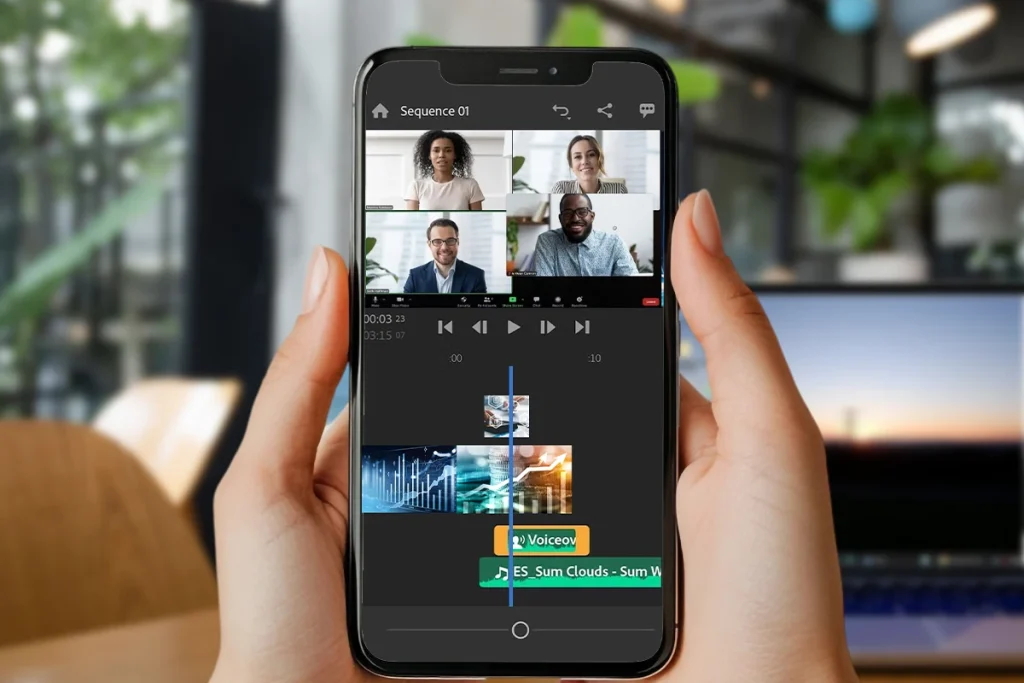
The beauty of webinars? You get instant feedback—if you ask for it.
- Send the recording to no-shows. It gives them value and keeps you top of mind.
- Watch your performance. Yes, it’s awkward—but that’s how you get better.
- Ask attendees what they loved (and what confused them). Then, tweak it for next time.
Pro tip: Cut your replay into snackable clips for social media or email nurturing. One webinar can turn into months of content.
Key takeaway: Your webinar isn’t one-and-done. When done right, it’s a lead generator, feedback tool, and content machine.
FAQs: What Everyone’s Wondering (But Most Webinars Don’t Answer)
What’s the ideal length for a webinar aimed at financial professionals? Short and sharp wins. Aim for 30–45 minutes, with baked in room for a stretch / restroom break and live Q&A before closing. Keep each segment under 10 minutes to avoid screen fatigue. Want to dive deeper into keeping people engaged? Check out our guide on maximizing engagement in virtual workshops.
What’s the best platform to host a professional webinar? Zoom is popular because it is reliable, familiar, and has a user-friendly design. Microsoft Teams and GoToWebinar are also great choices, especially for corporate events. Bottom line: It’s not about the platform; it’s how confident you are in using it.
How do I know if my webinar was a success? Attendance is only part of the story. Look at:
- Poll participation and chat activity.
- How many people stayed until the end.
- Post-event conversions (like booked calls or filled forms) don’t skip the feedback survey. One piece of honest feedback can elevate your next webinar from “meh” to “memorable.”
Final Thoughts (aka The Pep Talk)
Transitioning from in-person to online doesn’t mean sacrificing connection—it means delivering it in a new format. You already know how to educate, inspire, and convert.
With a few smart tweaks, webinars can help you scale your message, widen your reach, and deepen client relationships.
Need help filling those virtual seats?
Let Plum handle the marketing.
We’ll take care of the targeting, invites, and follow-ups so you can focus on showing up and shining.