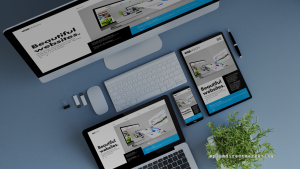

























If your website were a magazine, the homepage would be the cover. It gives visitors a preview of what’s inside and reasons to keep exploring. Many users won’t go beyond the homepage if it isn’t built to hold their attention and guide them toward action. Here are six essentials every business website should have:
1. Logo
A professional logo at the top of your homepage makes your company look credible and reinforces your brand. It also helps visitors remember you, even if they don’t convert right away. When prospects compare multiple websites, they often return to the one with the strongest, most memorable branding.
Check out our article “The Difference Between a Good Logo and a Bad Logo” for tips on how to make yours stand out.
2. Contact Info
Display your full contact information—phone number, address, and social media links—at both the top and bottom of your homepage. Include a contact form so prospects can easily reach you. The simpler it is to get in touch, the higher your chances of converting a visitor into a lead.
3. Informational Content
Your homepage shouldn’t go deep into product or service details, but it should clearly explain what your business offers. This content tells visitors they’re in the right place and highlights what sets you apart. Think about why your current customers choose you over competitors, and make sure that message comes through on your homepage.
4. Visual Content
High-quality photos and graphics are essential. Whenever possible, use real professional photos of your team, office, or products instead of stock images. Consider adding a short introduction video—it’s one of the most engaging ways to keep visitors interested and deliver key information quickly.
5. Lead Magnet
Some visitors will be interested but not ready to buy immediately. Don’t lose them. Offer a lead magnet—something valuable that users can access in exchange for their contact information. Examples include free consultations, downloadable guides, eBooks, or reports. This simple exchange helps you stay connected and move potential customers further down your sales funnel.
6. Call to Action
Never assume visitors know what to do next. Add clear calls-to-action (CTAs) that guide them. Whether you want users to call, fill out a form, visit your location, follow you on social media, or redeem a special offer, your homepage should make that next step obvious.
Use these tips to create a homepage that makes your business look professional and encourages visitors to take action.
If you’re ready to elevate your web presence, Plum Direct Marketing can help you design a homepage that works.
📞 Call 1-800-992-9663 to speak with one of our marketing advisors today.